SimVimX 3 Master Firmware
The SimVimX firmware needs to be loaded onto the Mega board only once: when installing SimVimX for the first time or if you have a clean Mega board without firmware, directly from the SimVimX plugin configuration window.
The plugin will then automatically upload the firmware to the board every time a new firmware version is released.
This guide is only for SimVimX 3 version.
Firmware Auto-Update
The plugin checks the currently used firmware version on connection, and if it needs updating (the new stable firmware is included to the plugin), the program uploads the new firmware to the board on start, and then establishes connection.
** If you already have the master board with firmware version 2.2x, the plugin will detect it and replace the previous firmware on startup, you don’t need to do anything.
Firmware check / upload
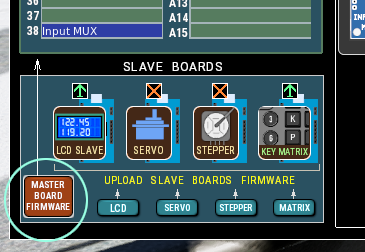
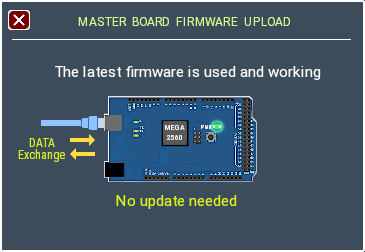
Fresh (first time) Firmware upload
This only applies if you have just connected a new Mega2560 board that does not have the previous firmware loaded on it.
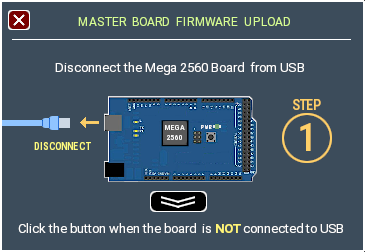
Make sure the Mega2560 board is not connected to USB or disconnect it, click the lower button, wait the step 2
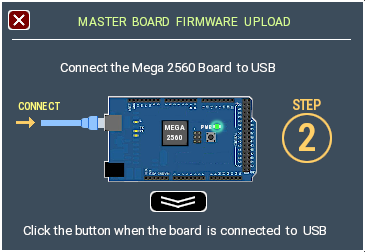
Connect your board to USB port and click the next button. The next “UPLOAD” step will appear within 5 seconds.
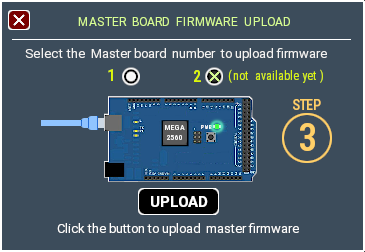
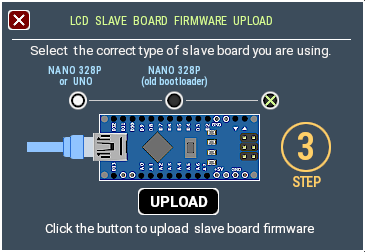
Click the [UPLOAD] button.
When available, select the master board number.
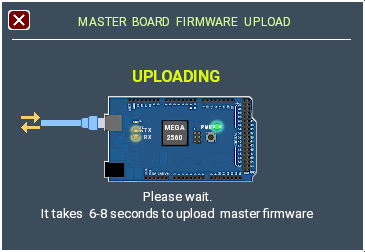
It takes about 5 seconds, you can see both Rx/Tx on-board LEDs flashing
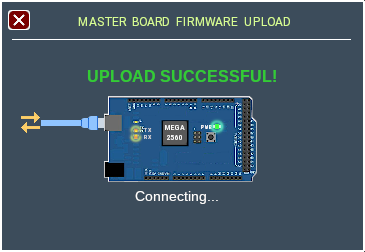
Close the Firmware window
NOTE: If the plugin can not detect the board after STEP 2, you’ll see the “No Board Detected” message and [Start Over] button:
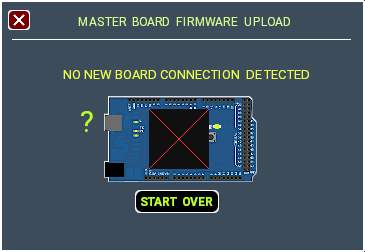
Connection, notes
- The plugin should always establish connection automatically every time X-Plane is started.
- Note for Linux users: Some Linux distributions do not grant the user access to serial ports by default. In this case you need to add your user name to the “dialout” group.
- When you change the I/O settings in the configuration window, all changes are saved immediately, no reconnection is required.