Using SimVimX Predefined Image Maps
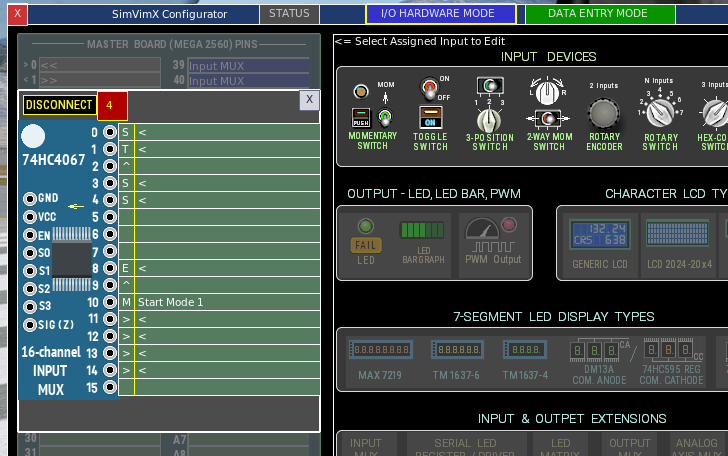
If your model is included in the list of predefined parameters for SimVimX, you can open the corresponding image map in the right window, find this switch, and select it for assignment.
First, you must click the corresponding multiplexer input to which this switch is connected in the left window, then click the switch in the image map. All needed text fields will be filled in and the configuration will be saved.
Any predefined SimVimX map can be used not only for the aircraft it applies to but is also useful, especially for beginners, for learning how to manually configure specific switches or indicators if your aircraft model is not included in the list of predefined parameters.
This page is not complete, its main content will be added later