Configuration: Input Multiplexer
Connect Input MUX to the master board
- Open the configuration window in the I/O HARDWARE MODE.
- Select Input MUX icon in the lower part of the middle section
- Click the pin on the master board map in the left. Make sure this is the same pin that the real multiplexer is already connected to (or will be).
Connect Input devices to the MUX inputs
- Open the Input MUX window (click the pin it’s connected) in I/O HARDWARE MODE
- Select input device you want to connect (switch, encoder, button)
- Click on the MUX input (0-15) to which your actual switch/encoder is physically connected.
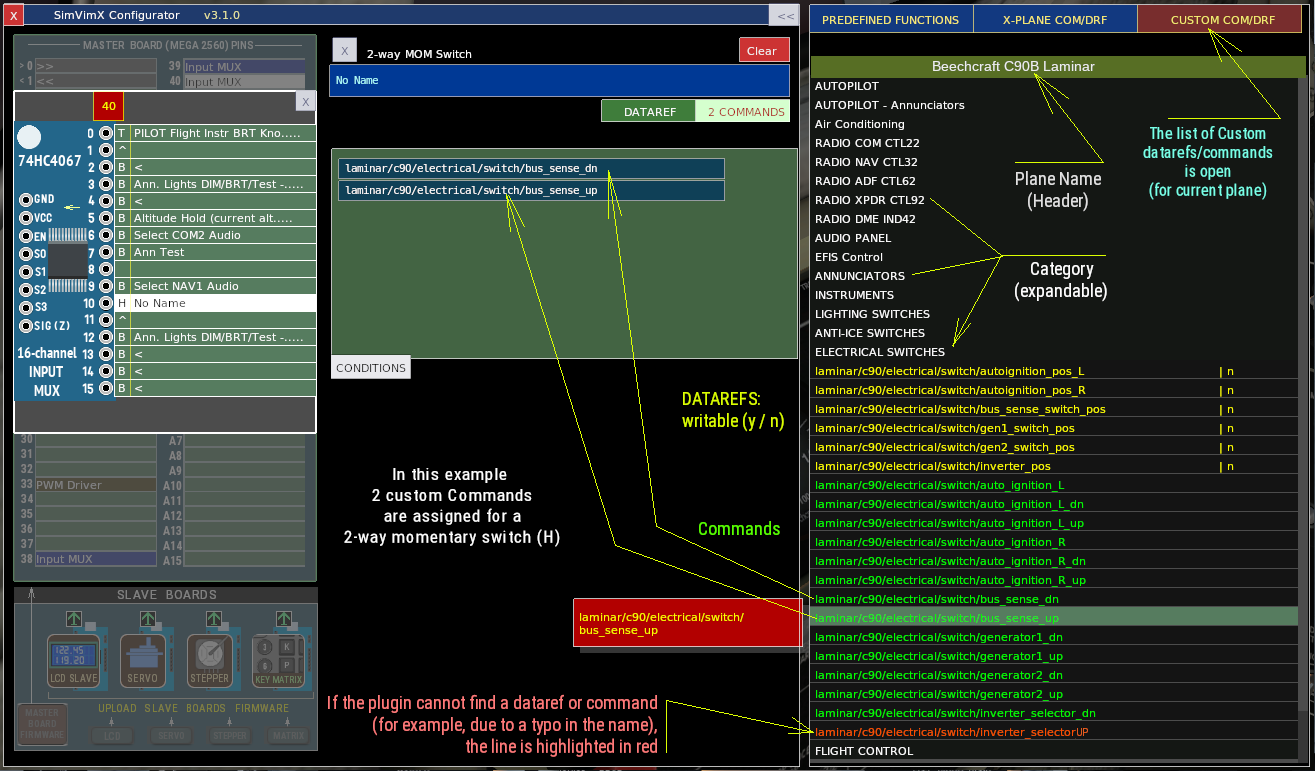
Multiplexer window – graphic elements and symbols
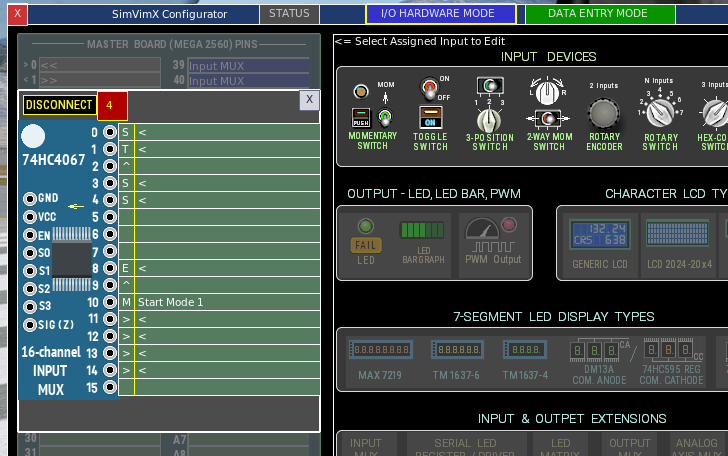
Assigned input types (designations)
B – Momentary button / Momentary switch (one input – B)
S – Toggle switch / Toggle button switch (one input – S)
T – 3-position toggle switch (2 inputs – T^)
H – 2-way momentary switch (2 inputs – H^)
E – Rotary Encoder (2 inputs E^)
M – Multi-position (rotary) switch (M>>>> – the number of inputs = number of positions )
K – Multi-position Hex-code switch (3 inputs – K>>)
NOTE: When an input multiplexer is open in I/O HARDWARE MODE, a “DISCONNECT” button appears. Clicking this button will disconnect the currently open multiplexer board from the master board, clearing all assigned inputs and the corresponding configuration for all configured planes.