PREDEFINED FUNCTIONS
This section contains the predefined functions displayed in form of image maps
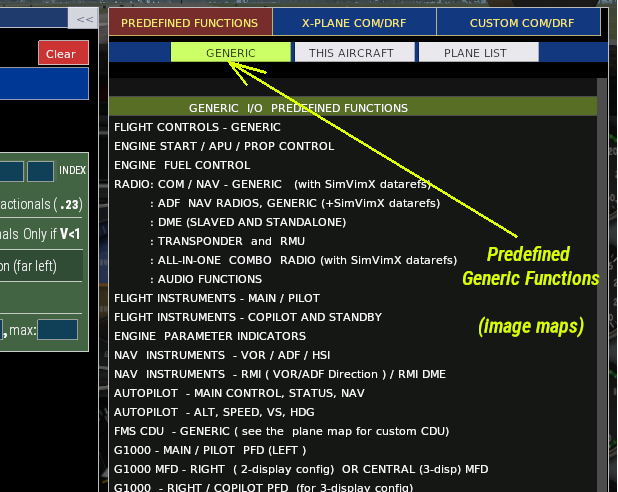
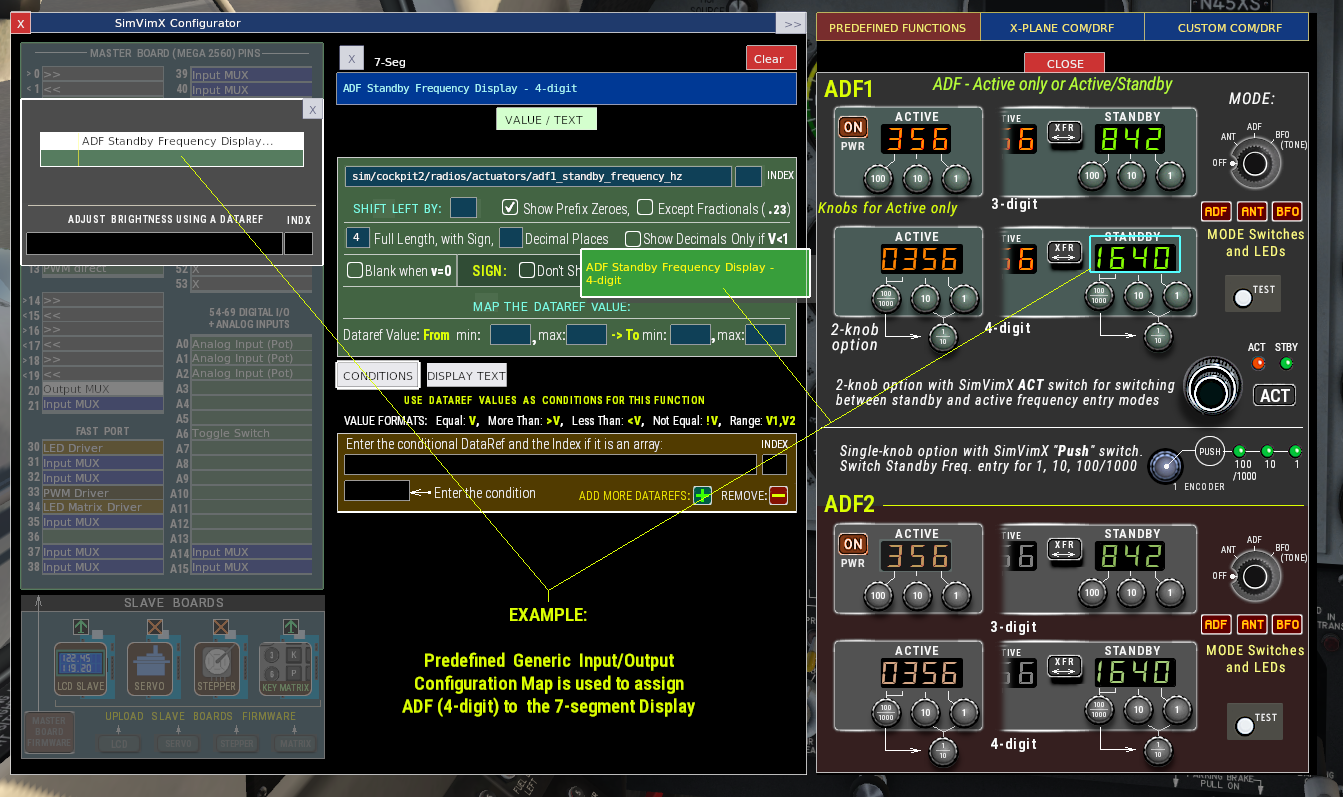
To configure any valid input or output, simply select the connected input or output element on the left side of the user interface in DATA ENTRY mode, and then locate and click the function you want to assign in the selected image map window.
There are 3 predefined subsections that you can select:
1) GENERIC – Contains predefined image maps for all major aircraft systems and uses either X-Plane’s datarefs/commands or SimVimX custom functions.
You can try assigning these standard I/O functions to any aircraft model. It will immediately become apparent whether the assigned function works.
If it does not, the selected control element requires custom datarefs or commands. In that case, you will need to either use a predefined maps for that aircraft (“THIS AIRCRAFT” button) or manually enter the necessary datarefs/commands using the custom list.
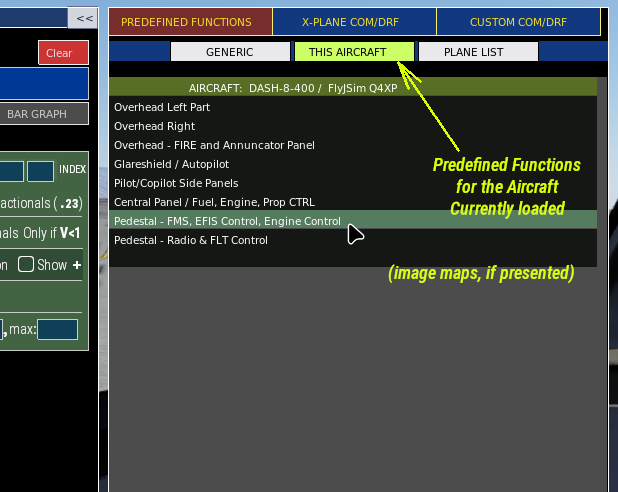
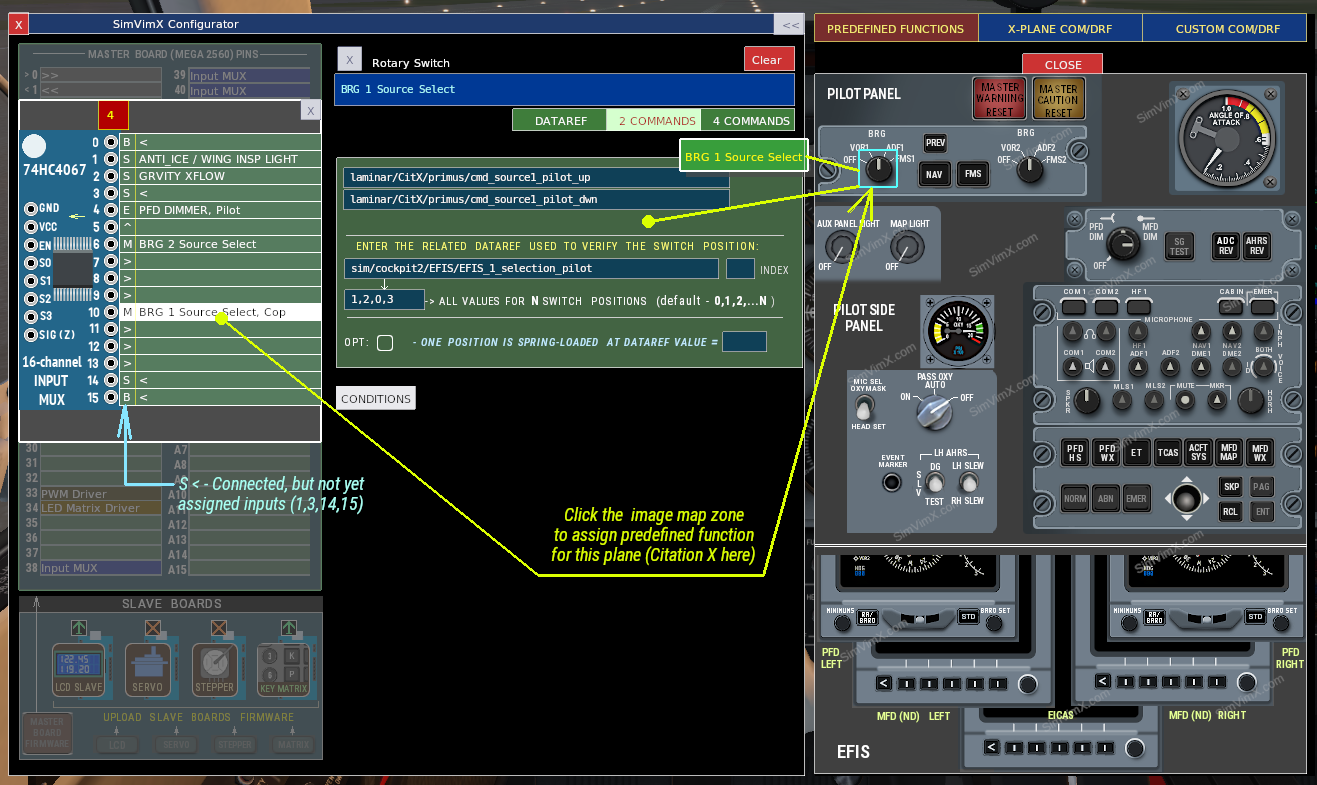
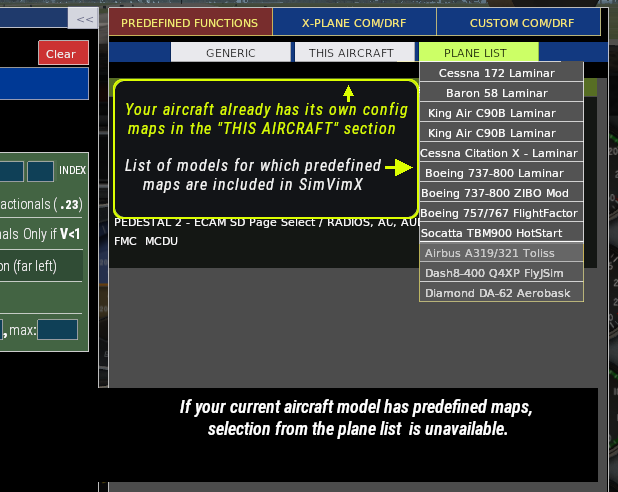
2) THIS AIRCRAFT – Contains predefined image maps for the currently loaded aircraft model and uses all datarefs and commands specific to that aircraft (custom and standard).
When you load an aircraft model in X-Plane and a configuration map is available for it, you can open that map by clicking the [THIS AIRCRAFT] button.
If you load an aircraft for which SimVimX does not have predefined config maps, the message “No custom parameters loaded for this model” appears when you press the “This Aircraft” button, and you should use lists of standard or custom datarefs and commands to assign functions manually.
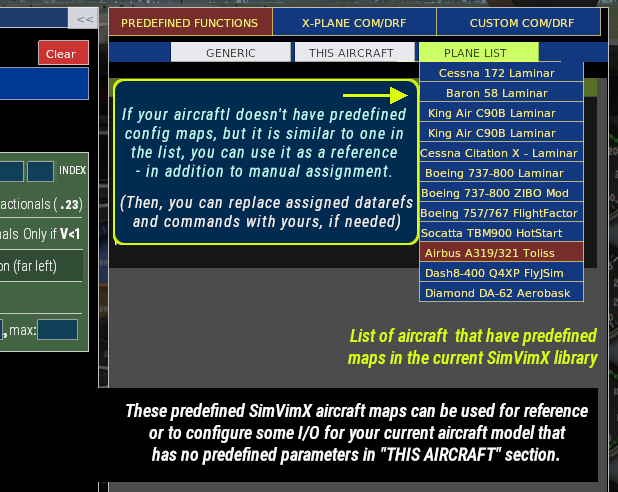
3) PLANE LIST – This list is provided primarily for reference: it allows you to see which aircraft models (and their corresponding configuration maps) are currently included in the SimVimX library.
Typically, if no predefined configuration maps exist in SimVimX for the currently loaded aircraft, you should use lists of standard or custom datarefs and commands to assign functions manually.
However, if your model is similar to one of the models on the plane list, you can also use its configuration maps as a reference to quickly assign input/output functions, and then either replace the datarefs and commands with your custom or leave them unchanged if they work correctly.
* Tooltip windows with a yellow border will be presented only starting from version 3.1.0.