Custom Aircraft Datarefs List
!! Since version 3.1.0 only (will be available soon)
Custom datarefs/commands in SimVimX3 configurator
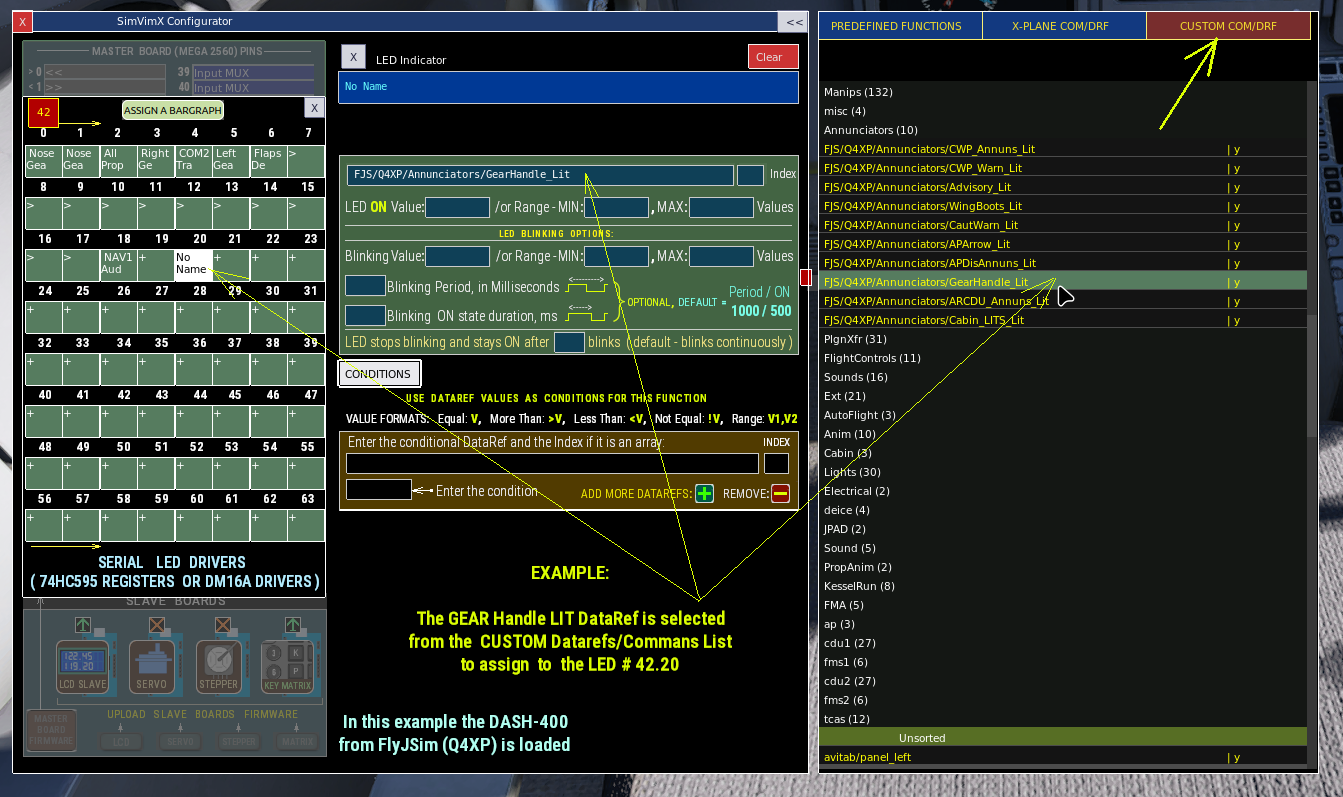
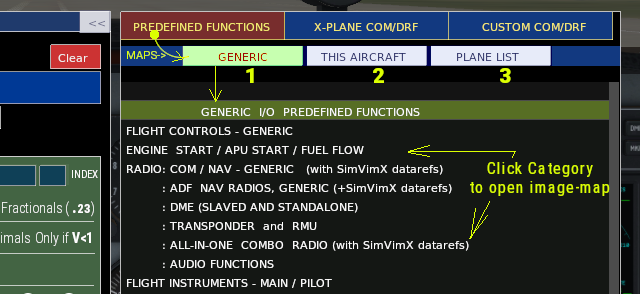
The “CUSTOM COM/DRF” tab in the main SimVimX configurator window opens a list of commands and datarefs unique to the currently loaded aircraft, so you can use them to assign inputs or outputs by clicking the line instead of typing in the datarefs in the text fields.
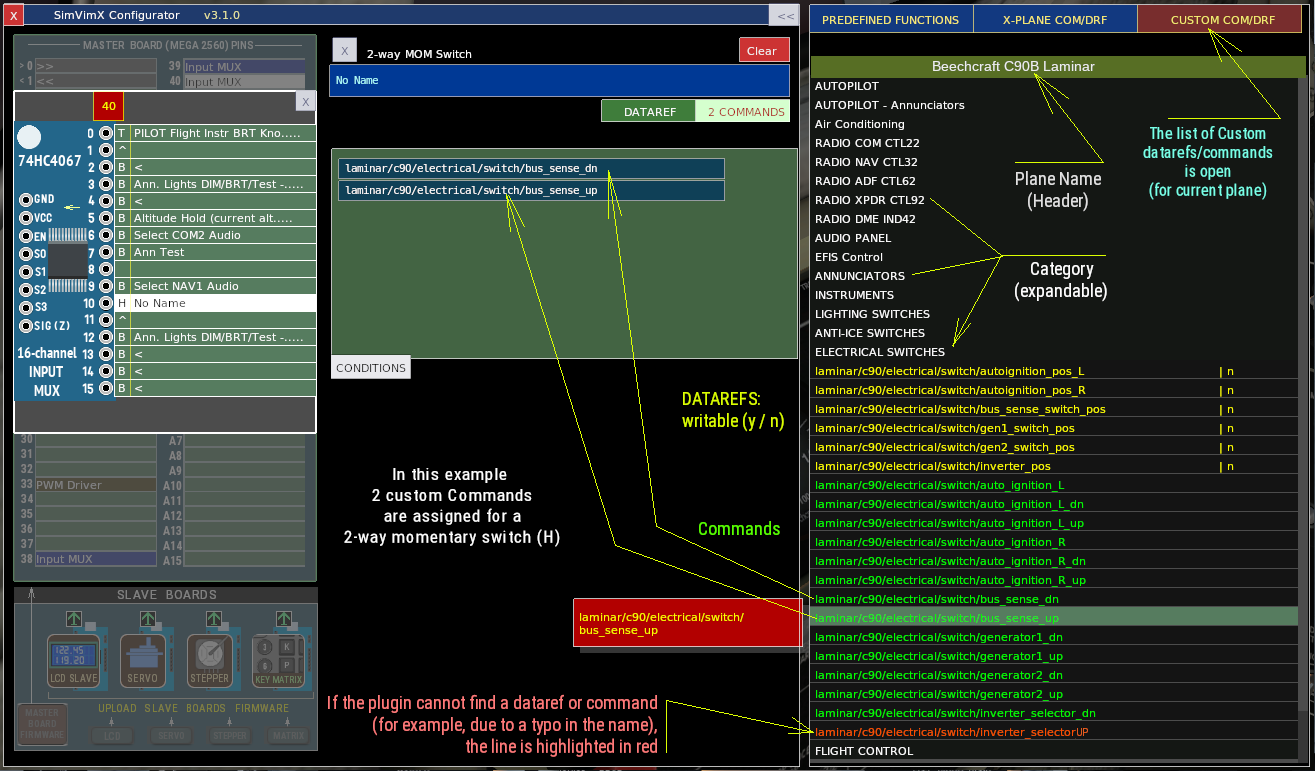
SimVimX already includes lists of custom datarefs and commands for certain popular third-party aircraft models, as well as for standard X-Plane models (as the C90B Laminar in the screnshot above).
But for those models that don’t have a list yet, you can add one yourself.
How to add the custom dataref/command list for your model:
- Create a file named “Datarefs.txt” in your aircraft’s root folder.
- You can name the file whatever you like after the “Datarefs” prefix: for example, Datarefs_M20R.txt.
- Add the custom datarefs and commands you need to this file, one per line.
- No need to add default X-Plane parameters (“sim/…”), as they are already listed and categorized under “X-PLANE COM/DRF”.
- No need to separate commands and datarefs; they can be listed in any order, grouped by category.
- The list of datarefs and commands can be categorized using a separator: to do this, start the line with an asterisk (*) and add the category name.
- Additionally, the first line of the file contains the aircraft name that can be entered by starting the line with a hash symbol (#).
- When loading the list, the plugin will automatically detect if each line in the list is a dataref or a command, and, for datarefs, detect if they are writable or read-only. If the dataref/command name is invalid or not found, it will be highlighted in red.
Note: If X-Plane is already running with this aircraft and you are currently editing its dataref list, reload the aircraft so that the plugin loads the updated list.
File Example (the RotorSim EC135):
#RotorSim EC135
*AUTOPILOT
ec135/autopilot/test
ec135/autopilot/alt
ec135/autopilot/app
ec135/autopilot/gs
ec135/autopilot/hdg
ec135/autopilot/ias
ec135/autopilot/ap_on
ec135/autopilot/nav
ec135/autopilot/a_trim
ec135/autopilot/test
rotorsim/ec135/afcs_indications
ec135/autopilot/vs
*ELECTRIC, Avionics
Switch rotorsim/ec135/generator
rotorsim/ec135/avionics
rotorsim/ec135/battery_overheat_warning
rotorsim/ec135/battery
rotorsim/ec135/battery_discharge_warning
ec135/cpds/elec_off
ec135/cpds/fli_off
*CAD, VEMD
ec135/cpds/cad_brt_up,ec135/cpds/cad_brt_down
ec135/cpds/cad_scroll
ec135/cpds/cad_off
ec135/cpds/vemd_brt_up,ec135/cpds/vemd_brt_down
ec135/cpds/vemd_reset
ec135/cpds/vemd_scroll
ec135/cpds/vemd_plus,ec135/cpds/vemd_minus
ec135/cpds/vemd_select
*Warnings
rotorsim/ec135/dummy_warning
rotorsim/ec135/fire_warning
rotorsim/ec135/test_fire_annun
rotorsim/ec135/lowfuel_warning
rotorsim/ec135/master_caution
rotorsim/ec135/xmsn_oilp_warning
rotorsim/ec135/ann_rotor_rpm
*Other Switches
rotorsim/ec135/bleedair_switch
rotorsim/ec135/main_switch
rotorsim/ec135/rotor_brakeShare the list of custom commands/datarefs
We encourage you to share your custom aircraft dataref/command lists; once a list for a specific model is fully ready, we can add it to the main SimVimX library (so that new users won’t have to add it manually).