Fresh Install Install new SimVImX v.3.0 - just unzip the SimVimX.zip file into the X-Plane plugins folder (../Resources/plugins/ ). A new item called SimVimX will appear in the X-Plane plugins menu. Open it and select "Configurator" to begin...

Fresh Install Install new SimVImX v.3.0 - just unzip the SimVimX.zip file into the X-Plane plugins folder (../Resources/plugins/ ). A new item called SimVimX will appear in the X-Plane plugins menu. Open it and select "Configurator" to begin...
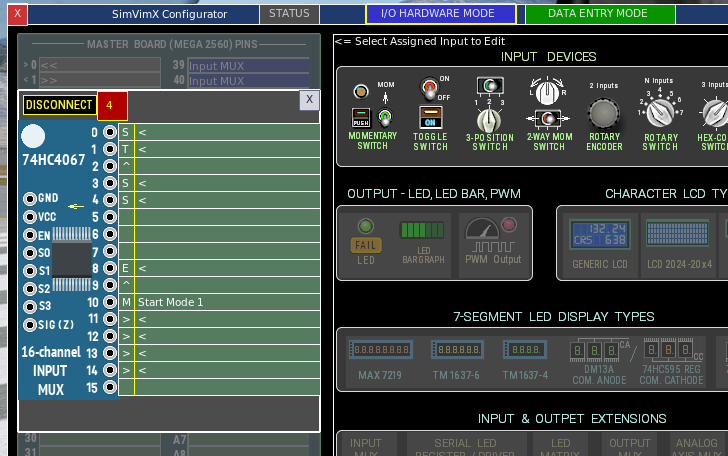
Connect Input MUX to the master board Open the configuration window in the I/O HARDWARE MODE. Select Input MUX icon in the lower part of the middle section Click the pin on the master board map in the left. Make sure this is the same pin...

If your model is included in the list of predefined parameters for SimVimX, you can open the corresponding image map in the right window, find this switch, and select it for assignment. First, you must click the corresponding multiplexer input...
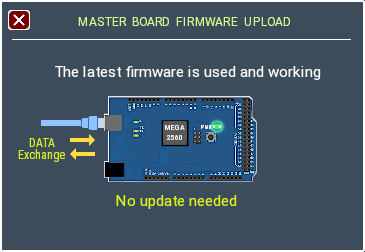
The SimVimX firmware needs to be loaded onto the Mega board only once: when installing SimVimX for the first time or if you have a clean Mega board without firmware, directly from the SimVimX plugin configuration window. The plugin will then...
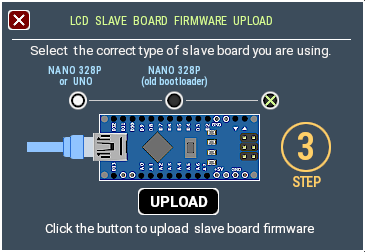
The Firmware for SimVimX slave boards needs to be loaded only once from the SimVimX plugin configuration window. Only if a new updated firmware is released (it's very rare), you will need to upload it again. Click one of the SLAVE BOARD...
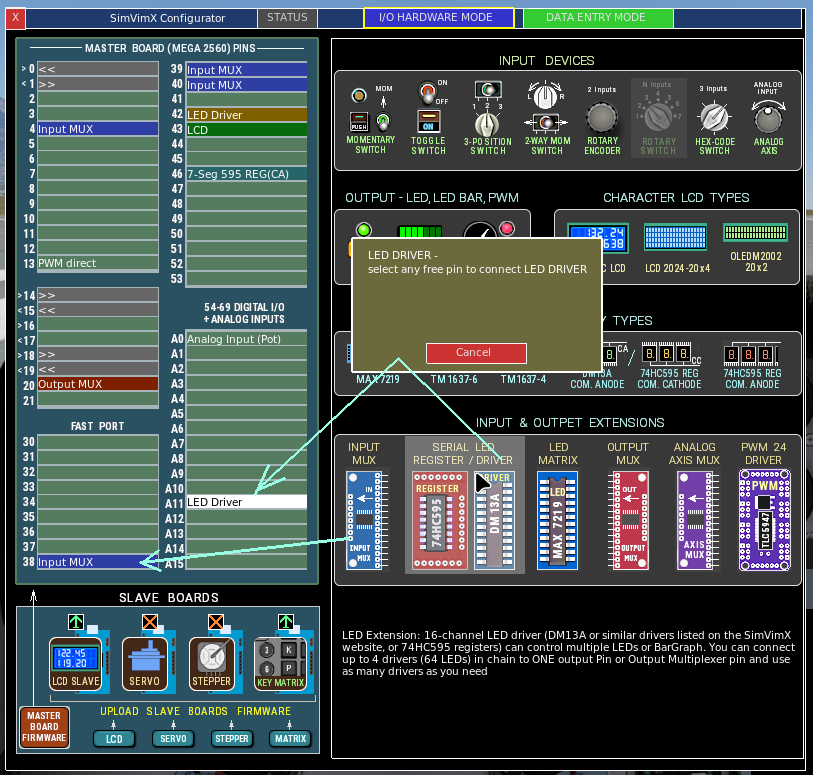
Since you have just installed SimVimX 3, you have no saved data for any aircraft models and no I/O hardware configuration. You may already have the master board with all connected I/O hardware. It is not necessary to have the master board...
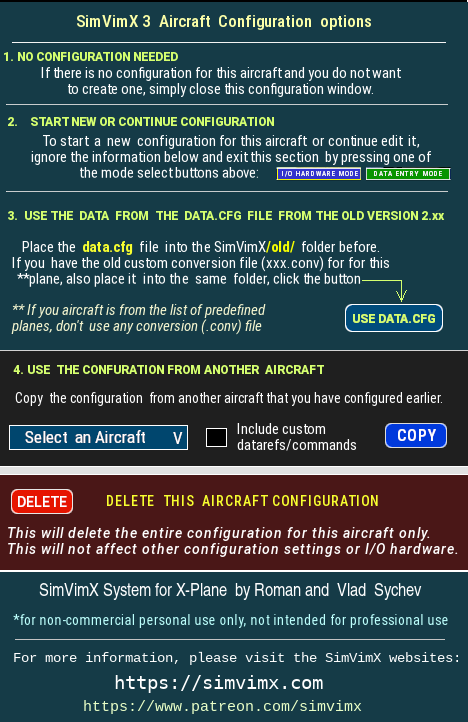
*It is assumed that you already have at least one aircraft added to your configuration with all I/O hardware connected during the initial configuration of the first loaded plane. After loading a new aircraft that you want to add to the...
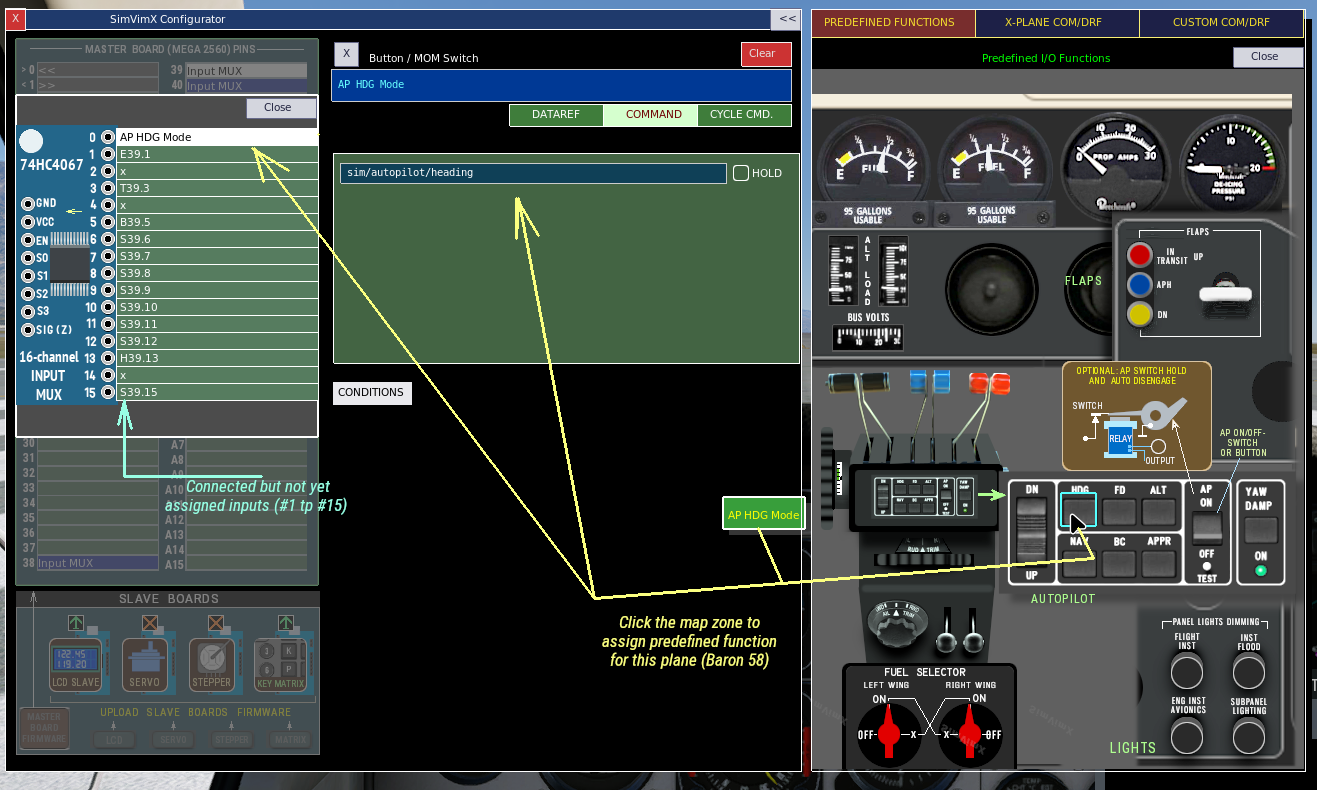
When you select any assigned device in DATA ENTRY MODE, this section displays the data entry fields and parameters available for that I/O device type. 1. The easiest way is to use the data from the section on the right, where you can select a...